When you need to call someone who speaks another language, a regular voice translator is often not built for the job. Most tools expect both people to speak into the same phone and translate one sentence at a time. That may work for a face-to-face exchange, but it does not solve the problem of a real phone call, where the other person’s voice comes through the call and the conversation needs to keep moving. AI Phone translates both sides of a phone call in real time, so you can speak your language while the other person hears the translation.
In this guide, you’ll learn how to set up and make a translated phone call with AI Phone.
Quick Answer: Yes, you can translate a phone call in real time with an AI phone. To translate a phone call with AI Phone, open the app, tap Call, and start a call. Choose your language and the other person’s language, then tap Call Now. AI Phone translates the conversation in real time, and the other person does not need to install the app.
Translate a Phone Call Step by Step
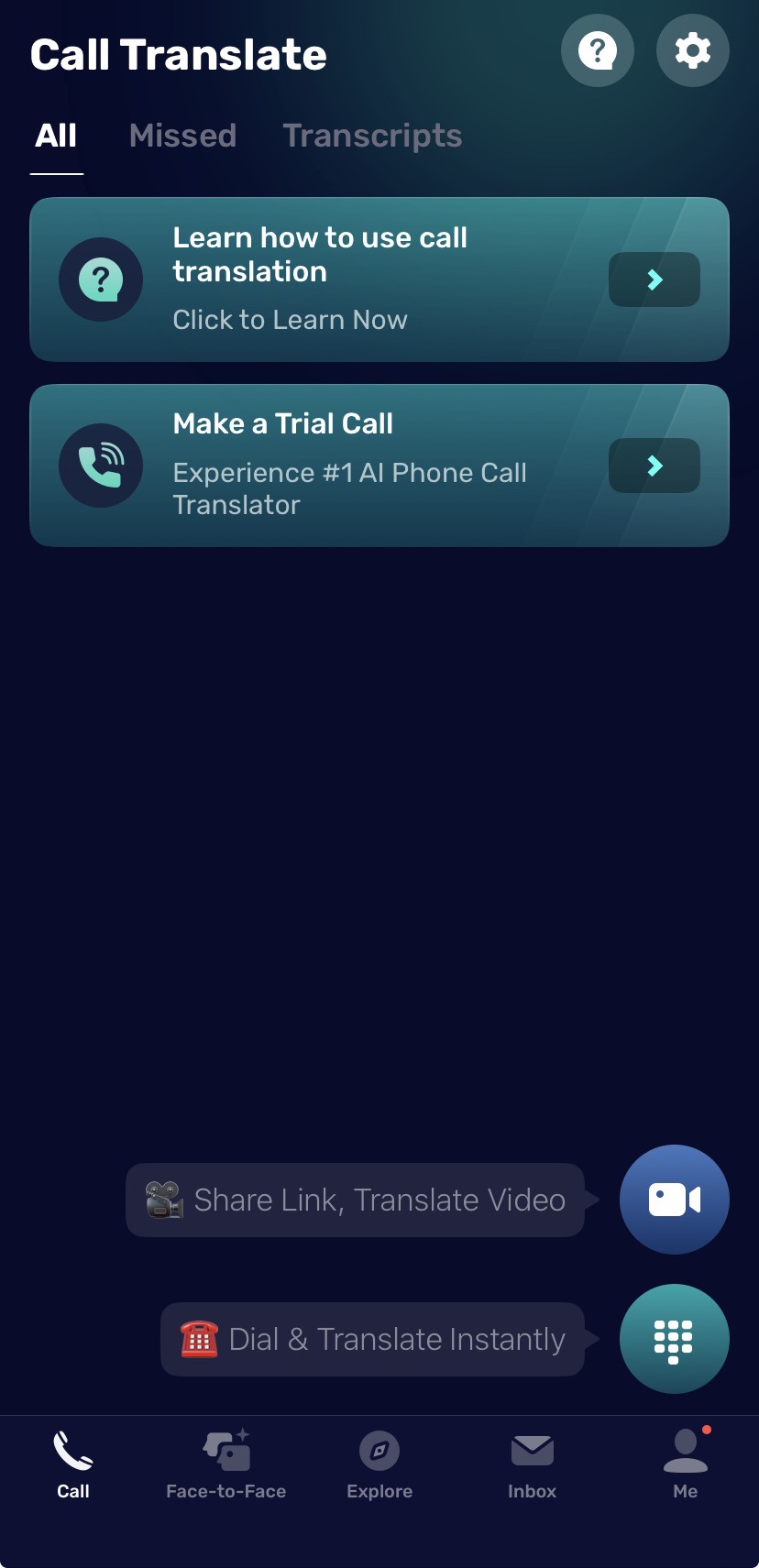
Once your caller ID is ready, you can start a real-time phone call translation from the Call tab.
- Open AI Phone.
- Tap Call.
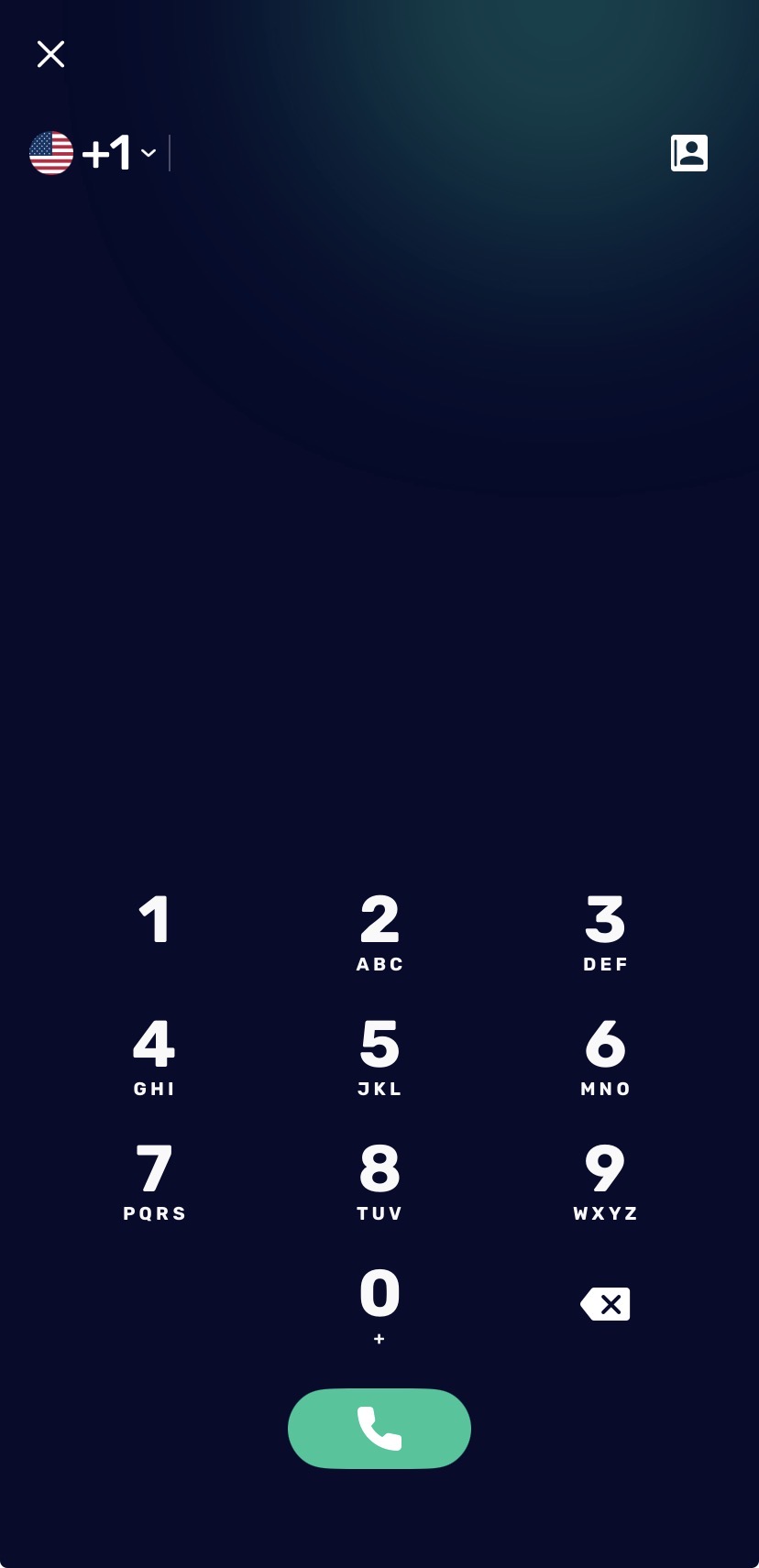
- Tap Dial & Translate Instantly.
- Enter a phone number or choose a contact.
- Tap Call.
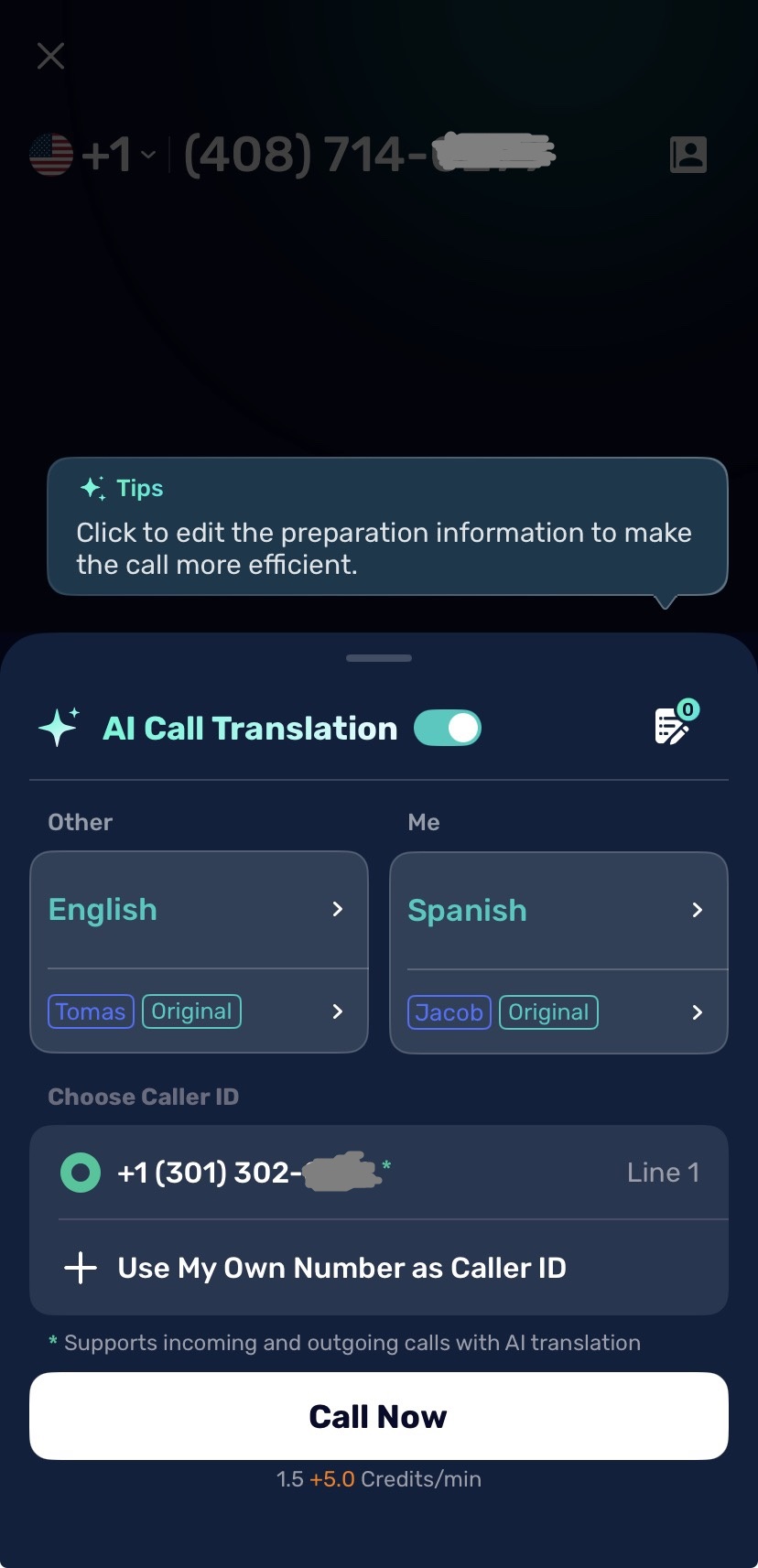
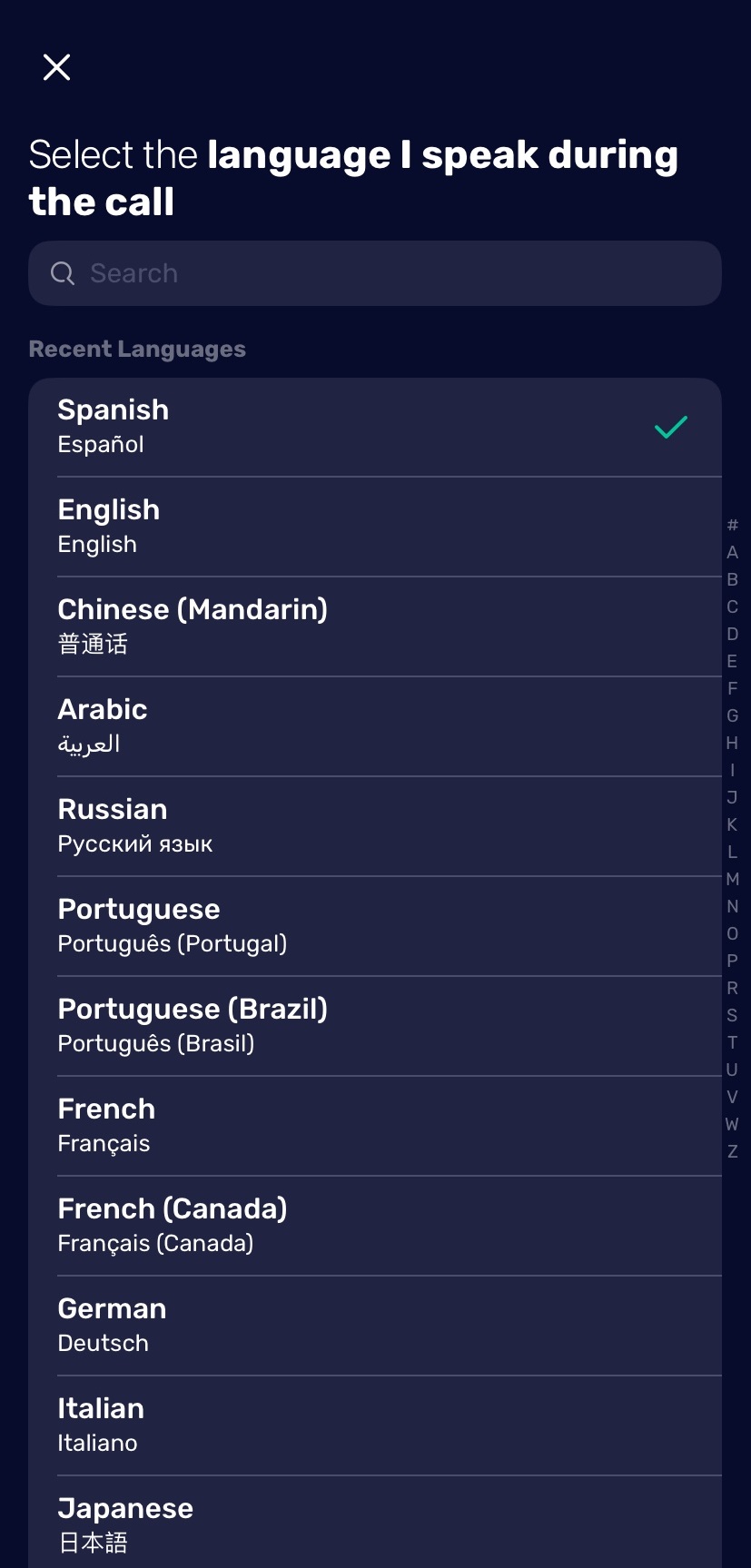
- Select your language under Me.
- Select the other person’s language under Other.
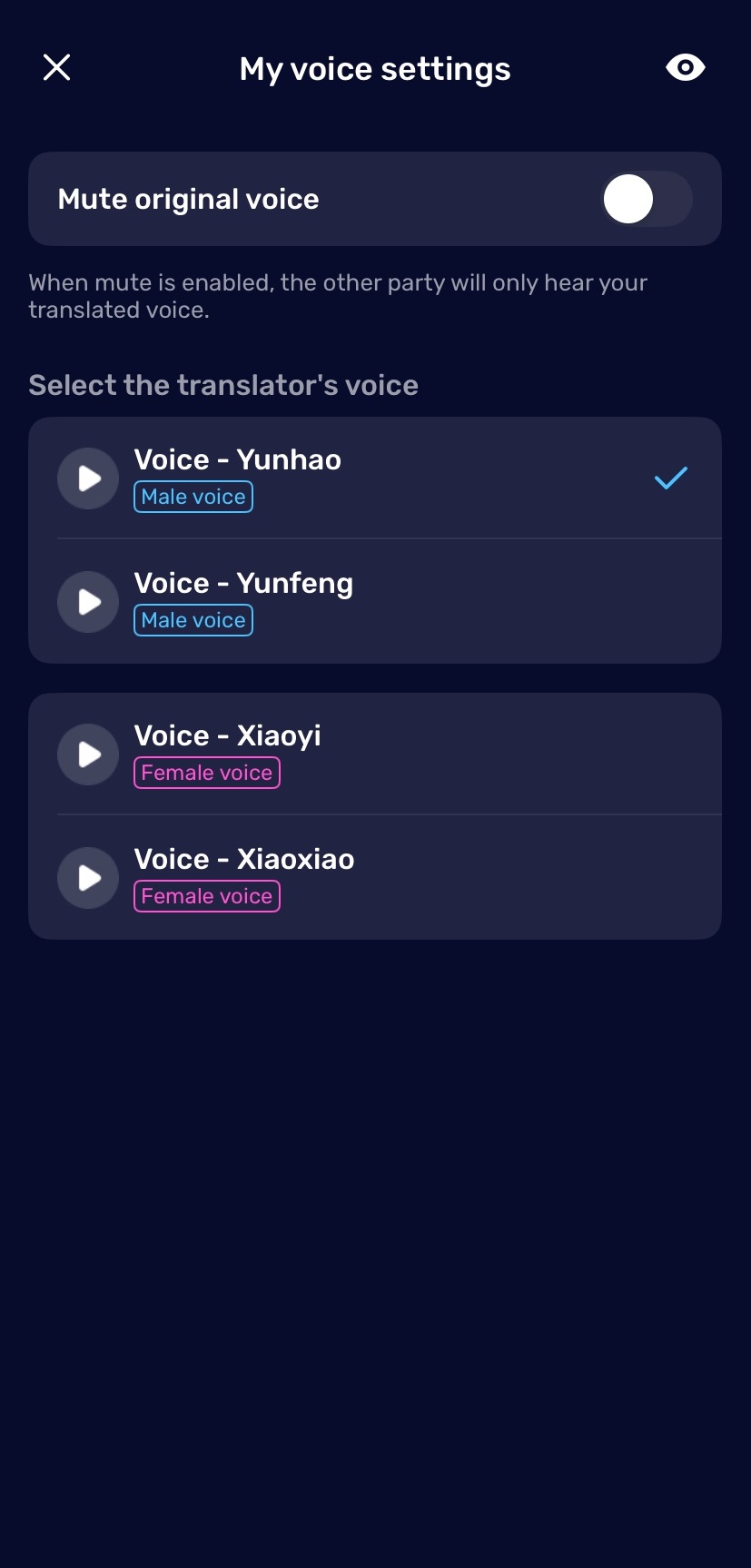
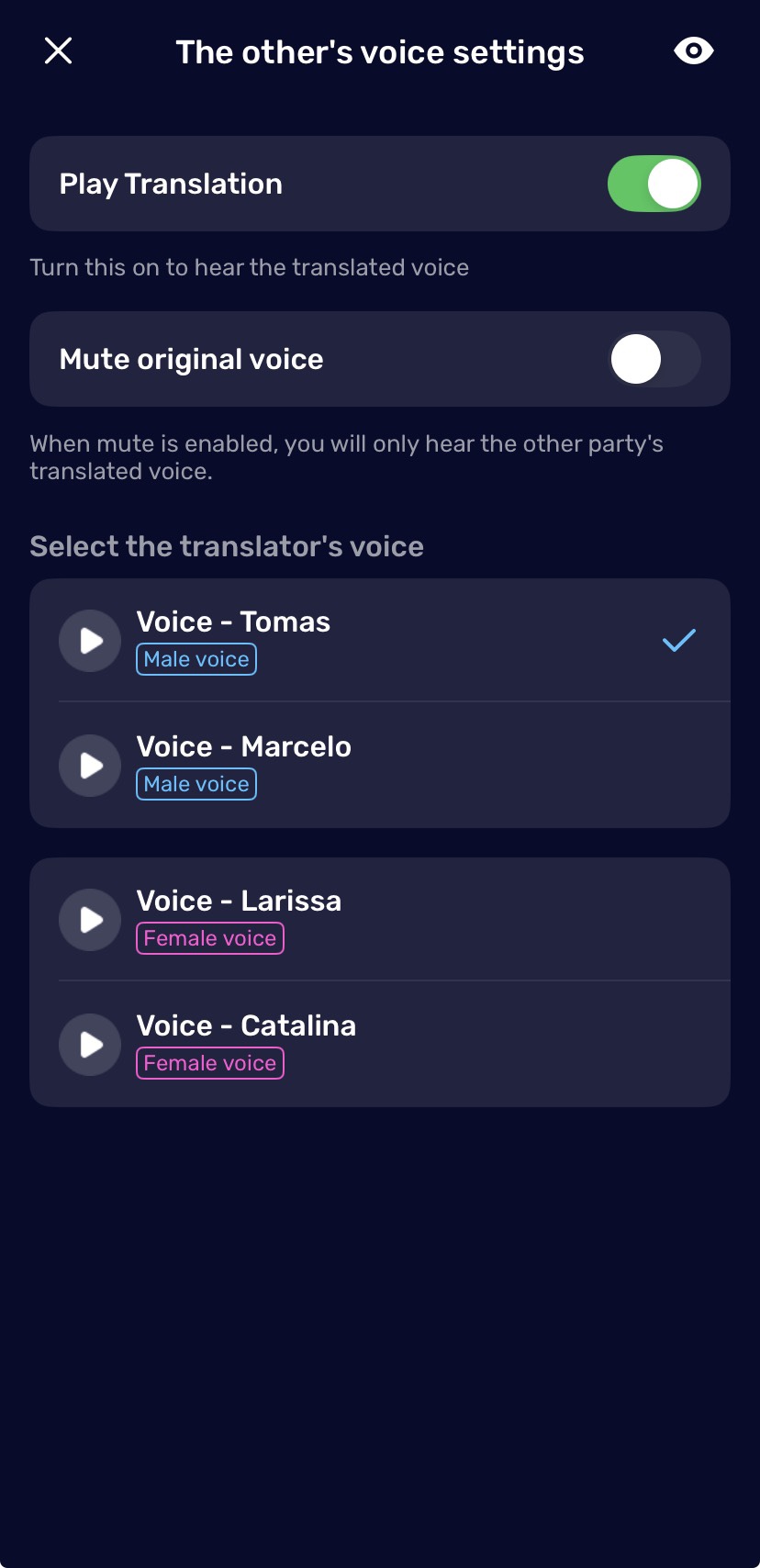
- Choose the translation voices.
- Decide whether to mute the original voice or play the translated voice.
- Select the caller ID you want to use.
- Tap Call Now.
During the call, AI Phone translates both sides in real time. You can listen to the translated voice and follow the conversation with bilingual captions on screen.
Set Up Your Caller ID
Before starting phone call translation, choose which number you want the other person to see. AI Phone gives you two options: use your own phone number as caller ID, or use an AI Phone second number.
Use Your Own Phone Number
Use your own phone number when you want the person you call to recognize you. This works well for personal calls, appointments, customer follow-ups, and other calls where caller recognition matters.
To link your phone number:
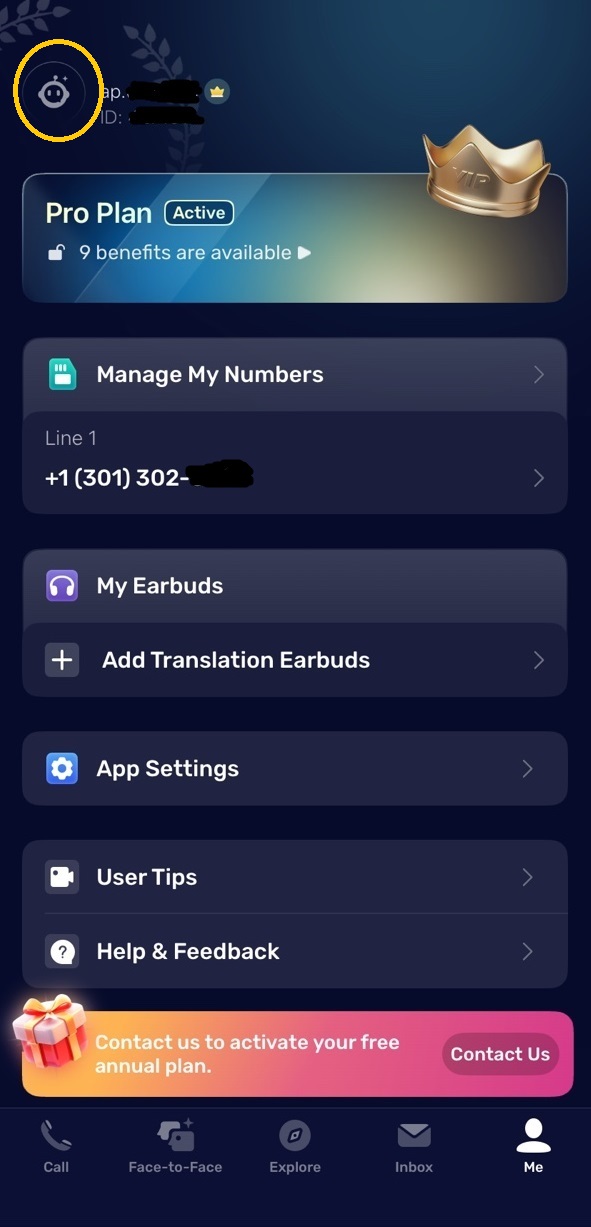
- Open AI Phone.
- Tap Me.
- Tap your profile avatar.
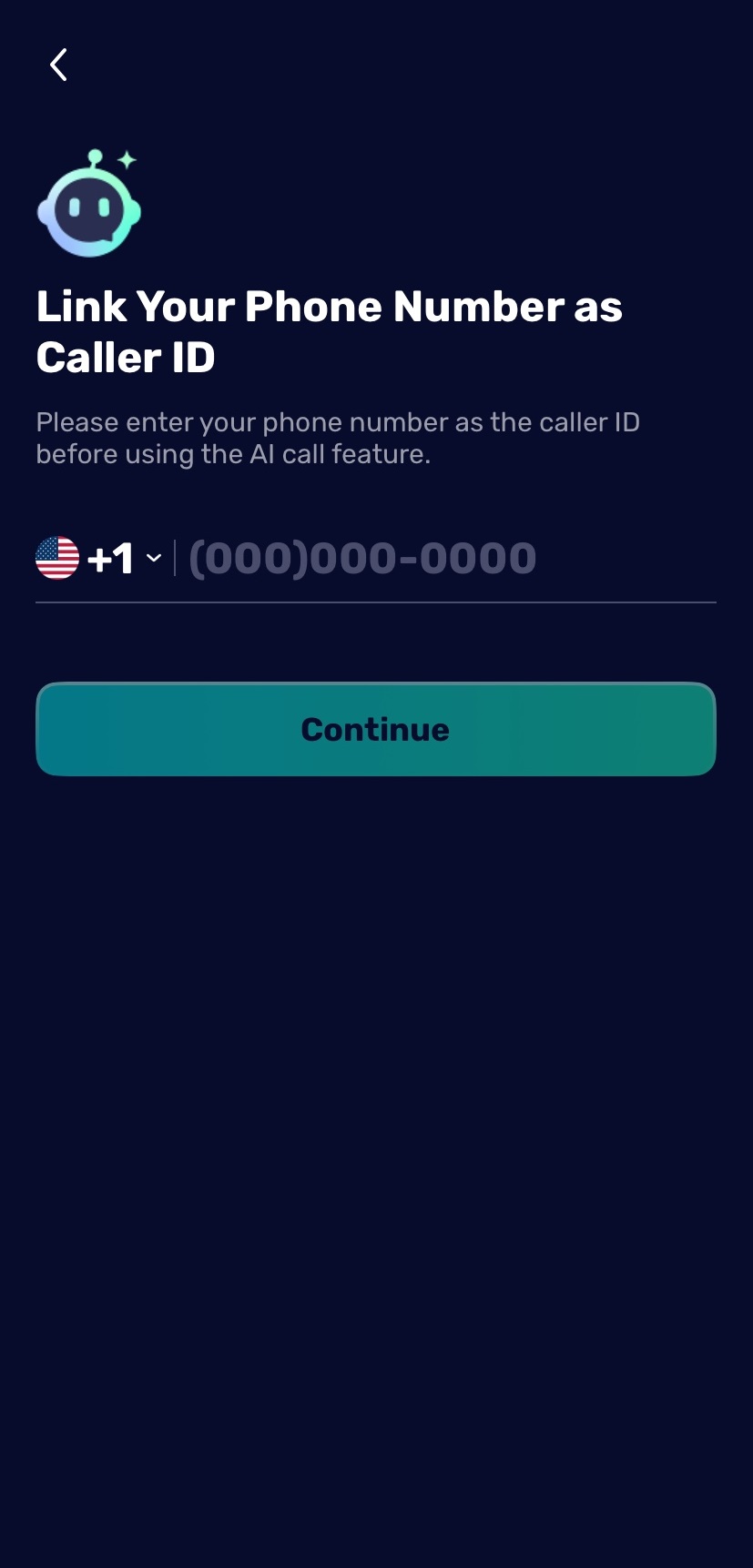
- Tap Your Phone Number.
- Enter your phone number.
- Verify it with the SMS code.
If you do not want to use your own number, you can skip this setup and use an AI Phone second number instead.

Use a Second Number
Use a second number when you want a separate number. This is useful for business, travel, privacy, international communication, or separating work calls from personal calls.
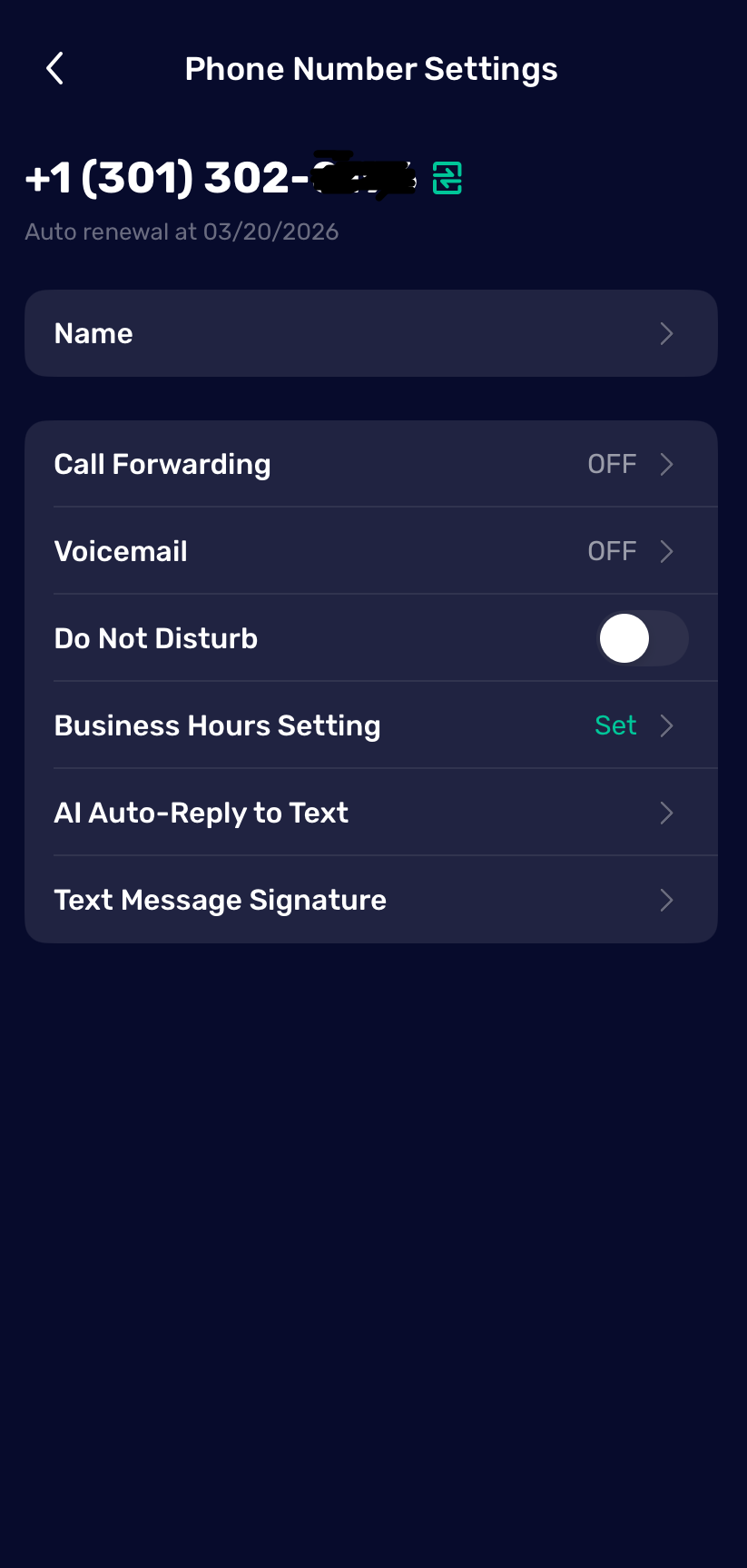
A second number can support more call-management needs, including:
- Incoming and outgoing phone call translation.
- Voicemail.
- Call forwarding.
- Business hour settings.
- Text message signature.
- Do Not Disturb.
- AI auto-reply for text messages.
To manage your second number:
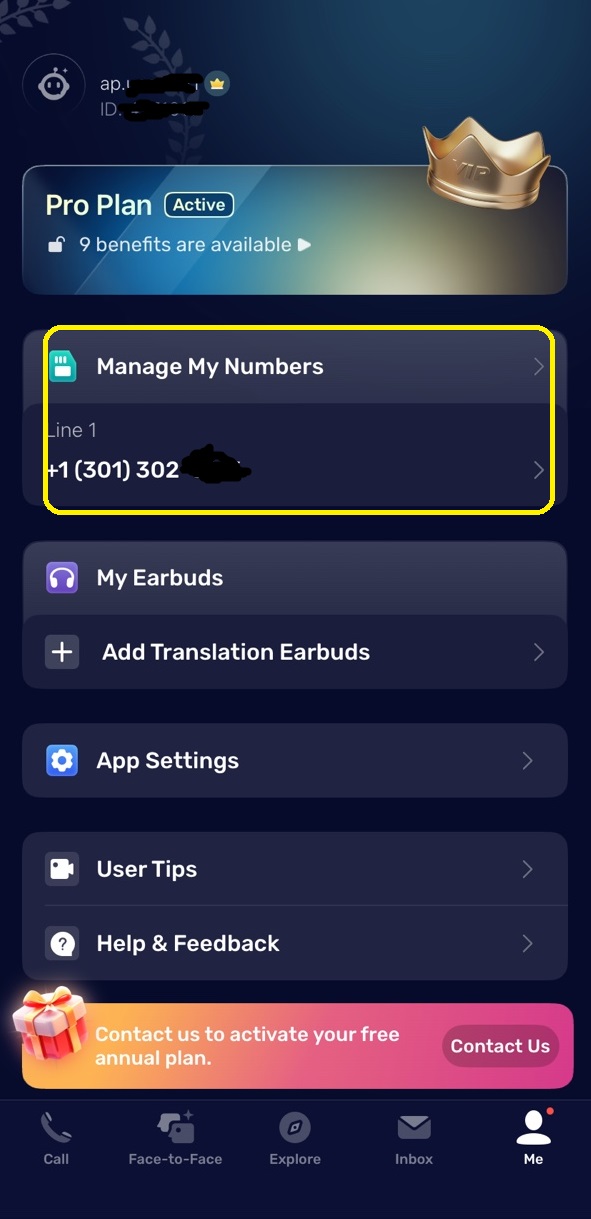
- Tap Me.
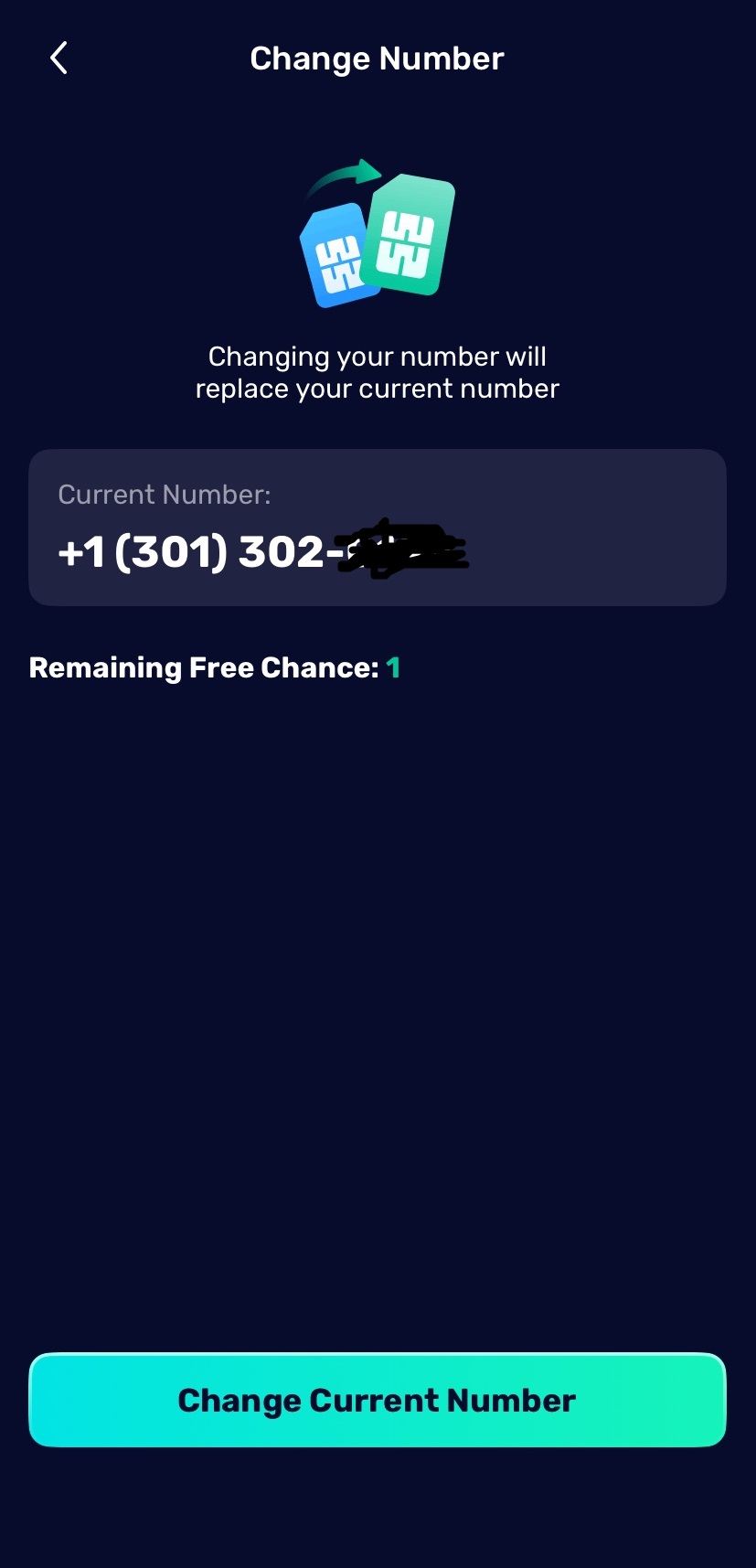
- Tap Manage My Numbers.
- Select your second number.
- Open the number settings.
- Adjust forwarding, voicemail, business hours, or other settings as needed.

Choose Between Your Own Number and a Second Number
Both options can help you translate phone calls, but they fit different situations.
| Option | Best for | Main benefit |
|---|---|---|
| Your own phone number | Friends, family, appointments, known contacts | The other person recognizes your caller ID |
| AI Phone second number | Business, privacy, travel, incoming translation | A separate number with more call-management tools |
If you mainly make outgoing calls, linking your own number is usually enough. If you need people to call you back and still receive translation support, a second number is the better setup.
Set Languages and Translation Voice
Before starting the call, choose the language you will speak, the language the other person will speak, and the translation voice for each side.
Under Me, choose the language you will speak. Under Other, choose the language the other person will speak. AI Phone supports 150+ languages and accents, so you can set up calls for common languages like English, Spanish, Chinese, French, Japanese, Korean, Portuguese, Arabic, and many more.
You can also choose the translation voice for each side. For important calls, choose a clear voice and avoid speaking too quickly or talking over the other person.
Use Type-to-Speak During a Call
Use Type-to-Speak when you need to communicate information that needs to be exact, such as names, numbers, addresses, or booking codes.
It’s particularly useful for:
- Names.
- Phone numbers.
- Email addresses.
- Street addresses.
- Booking codes.
- Appointment times.
- Product names.
- Medical or travel details.
Instead of repeating a difficult word several times, type the text into AI Phone. The app translates it and speaks it to the other person during the call.
Review Call Transcripts and Summaries
After a phone call, AI Phone can help you review what was discussed. This is especially useful when the call includes details you may need later.
To review your call records:
- Open AI Phone.
- Go to Call.
- Open the call you want to review.
- Read the transcript or summary.
Use transcripts and summaries to check addresses, appointment details, travel instructions, names, numbers, and next steps after important calls.
Handle Automated Phone Menus and Customer Service Calls
AI Phone can also make calls to automated phone systems easier to navigate. When a menu asks you to press a number, the app can automatically bring up the keypad so you can enter the required option directly.
For customer service calls, you can enter details such as an order number in advance. AI Phone can surface this information during the call, allowing you to quickly send it by text when the system or agent asks for it instead of having to say the number aloud.
Best Use Cases
When you and the other person do not share a language, even a simple phone call can become difficult to follow. This is is where phone call translation can make a difference. When seeing the other person also matters, you can also translate video calls with AI Phone across popular social and communication apps.
Travel and Local Services
Use AI Phone to call hotels, restaurants, taxi services, clinics, airlines, landlords, or local businesses while traveling. This is helpful when you need an immediate answer and cannot wait for written translation.
Immigration and Government Appointments
Phone calls with offices, agencies, schools, or service providers often include dates, requirements, and document details. AI Phone can help you follow the conversation and review the transcript afterward.
Business and Customer Calls
For international work, phone call translation can help with supplier calls, customer follow-ups, scheduling, and basic service conversations. A second number is especially useful if you want a separate business line.
Family and Personal Communication
AI Phone can help multilingual families, international couples, and relatives in different countries communicate more naturally by phone.
Medical, Housing, and Appointment Calls
When a call includes appointment times, addresses, or instructions, use type-to-speak for exact details and review the transcript after the call. For emergencies or professional medical/legal interpretation needs, use qualified human support when required.
Tips for Clearer Phone Call Translation
- Speak naturally, but pause between ideas.
- Avoid talking over the other person.
- Confirm the languages before the call starts.
- Use type-to-speak for exact names, numbers, and addresses.
- Choose a quiet place when possible.
- Keep sentences short when the topic is complex.
- Review the transcript after important calls.
Troubleshooting
If phone call translation is not working as expected, check these items first.
The Other Person Cannot Hear the Translation
Check whether the translated voice is muted. Before the call, review the voice settings and make sure translation playback is turned on.
The Language Sounds Wrong
Confirm the language under Me and Other. If the other person speaks a regional accent or dialect, choose the closest available language or accent option.
The Call Does Not Start
Check your internet connection, calling balance or plan status, and caller ID selection. If you are using your own number, confirm it has been linked and verified.
The Translation Misses Names or Numbers
Use type-to-speak for details that must be exact. Names, codes, addresses, and phone numbers are easier to share accurately when typed.
You Cannot Receive Translated Calls
Use an AI Phone second number if you need incoming call translation. A linked personal number is mainly for outgoing calls with your own caller ID.
FAQ
Can I translate a phone call in real time?
Yes. AI Phone supports real-time phone call translation with translated voice and bilingual captions during the call.
Does the other person need to install AI Phone?
No. For standard phone calls, the other person can answer normally. They do not need to install AI Phone.
Can I use my own phone number?
Yes. You can link your phone number and use it as caller ID for outgoing phone call translation.
Do I need a second number to translate calls?
Not always. You can use your own number for outgoing calls. A second number is better if you want a separate calling identity or incoming call translation.
Can AI Phone translate incoming calls?
Incoming call translation is supported when you use an AI Phone second number.
Can I see captions during the call?
Yes. AI Phone shows bilingual captions so you can follow both the original speech and the translation.
Can I save the call translation?
You can review call transcripts and summaries in the Call > Transcripts section.
Does phone call translation work offline?
Real-time phone call translation requires an internet connection.