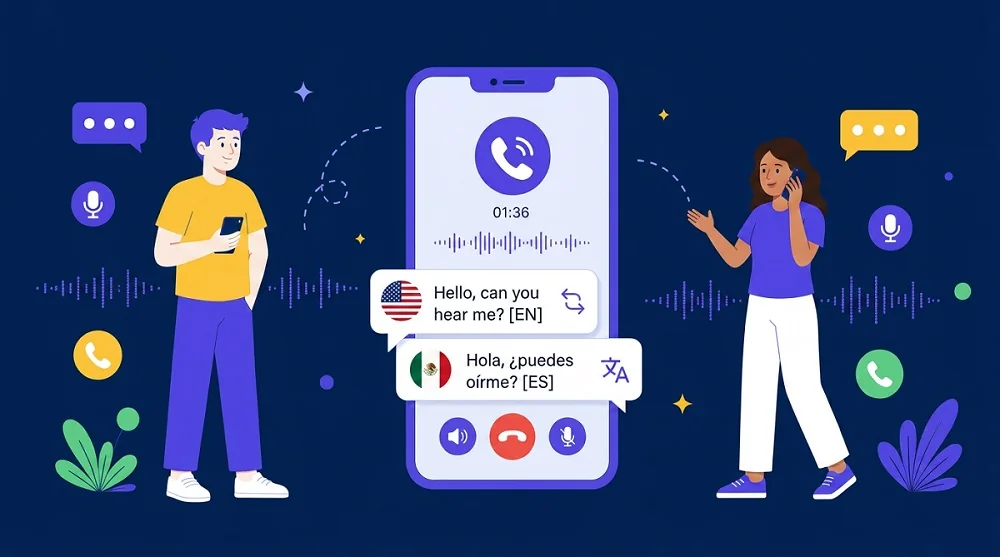
WhatsApp video calls make it easier to feel connected when you can’t be together in person. You can see each other’s faces, catch a smile or a reaction, and have a more natural conversation than texting. But when you and the other person speak different languages, having a natural conversation can be much harder—even if you both know some of each other’s language.
WhatsApp does not currently provide built-in real-time translation for its native voice or video calls. However, several tools can help you communicate across languages. Here are the best options for real-time WhatsApp call translation.
Quick Answer: AI Phone is a strong choice for mobile users who want two-way translated voice and bilingual captions through a shareable link. Bridgecall is a good option if you prefer a browser-based call or a group call, while JotMe is better suited to desktop users who also want transcripts and meeting notes.
Quick Summary Table
| App | Type | Platform | Other person needs app? | Captions visible to both? | Translated voice to other side? |
|---|---|---|---|---|---|
| AI Phone | Link-based | iOS, Android | No | Yes | Yes |
| iTourTranslator | Link-based | iOS, Android | No | Yes | Yes |
| Bridgecall | Link-based | Web / desktop | No | Yes | Yes |
| JotMe | Overlay (desktop) | Windows, macOS | No | No (captions only on your screen) | Yes |
| Utell AI | Overlay / virtual audio | Windows, macOS | No | No (captions only on your screen) | Yes |
AI Phone
- Translation method: Link-based translated call
- Platforms: iOS, Android
- Recipient app needed: No
- User Rating: 4.7/5 on Apple Store (77K+ ratings), 4.6/5 on Google Play (86K+ ratings)
- Cost: $8.99/week or $59.99/year
AI Phone creates a translated video call link that you can share through WhatsApp. The other person can join without installing the app.
During the call, both participants can hear translated voice and see bilingual captions. AI Phone supports more than 150 languages and accents. It also offers phone call translation.
AI Phone is a practical choice for family calls, travel, international customers, and other conversations where the other person may not want to install another app.
Key Features
- Real-time two-way translation
- Real-time translated voice
- Bilingual captions on both ends
- 150+ languages and accents
- Call transcripts
- Additional translation features: Phone calls, camera/image, voice, text, screen, and audio/video translation
Pros and Cons:
Pros
- Works across iOS and Android.
- The recipient does not need to install the app.
- Both participants can follow translated speech and captions.
Cons
- The translated call runs through AI Phone rather than WhatsApp’s native video call.
- Requires a paid plan.
- Paid plans include limited translation credits.
Bottom Line
AI Phone is a strong choice for users who want to start a translated video call from WhatsApp without asking the other participant to install another app. It is most useful when both sides need translated voice and bilingual captions.
iTourTranslator
- Translation method: Link-based translated call
- Platforms: iOS, Android
- Recipient app needed: No
- User Rating: 4/5 on Apple Store (266 ratings), 4.1/5 on Google Play (3.8K+ ratings)
- Cost: $19.99/month or Pay-as-you-go (0.78 points/minute)
iTourTranslator uses a link-based model. You create a translated call room and send the invitation through WhatsApp.
It is designed for cross-platform communication and also provide access to human interpreters for selected use cases.
Key Features
- Shareable translated call links.
- Real-time voice translation.
- Video and voice communication options.
- Cross-platform access.
- Human interpreter options for selected plans or situations.
- Additional translation features: Phone calls, camera/image, conversations, text, and media translation
Pros and Cons:
Pros
- Real-time translation for WhatsApp and other platforms
- No installation needed for recipients
Cons
- The translated call runs through iTourTranslator rather than WhatsApp’s native video call.
- Require a paid subscription or Pay-as-you-go.
Bottom Line
iTourTranslator is worth considering if you want a shareable call link and additional interpretation options. The pay-as-you-go pricing makes costs hard to predict if you’re on a long call.
Bridgecall
- Translation method: Link-based translated call
- Platforms: Desktop, iOS and Android
- Recipient app needed: No
- User Rating: 5/5 on Apple Store (1 rating), 0/5 on Google Play (0 rating)
- Cost: $29/month with 300 minutes, $49/month with 900 minutes, $99/month with 2,000 minutes
Bridgecall is a browser-first link-based translation option. You create a call link, send it through WhatsApp, and have multiple people join the translated call in a browser. Both your and other participants have no need to download an app. Same link can be reused for weekly family calls, classes, team check‑ins, etc.
Key Features
- Translated voice + bilingual subtitles
- One call link (share via WhatsApp, email, etc.)
- Voice cloning
- Instant browser join (no app needed for the other side)
- 50+ languages
- Group calls (size depends on plan)
- Reusable links for recurring calls
Pros and Cons:
Pros
- No app install for both participants
- Flexible plans
- Privacy-focused, no stored audio, E2E encryption, SOC 2 infrastructure
- Good for recurring calls
Cons
- Not inside WhatsApp’s native call UI
- Monthly subscription only
- Limited language count
Bottom Line
Would you rather everyone joins with one click? If it’s the first one, Bridgecall wins — it supports multilingual group calls.The reusable link is genuinely useful for a standing weekly call with the same people.
JotMe
- Translation method: System-audio capture and live captioning
- Platforms: Windows, macOS
- Recipient app needed: No
- User Rating: 3.7/5 on Trustpilot (10 Reviews)
- Cost: Free plan available. Pro costs $20/month, or $10/month billed annually. Premium costs $30/month, or $15/month billed annually. Team plans start at $60/month, and Enterprise pricing is custom.
JotMe is a computer-based live translation and meeting notes tool. It can capture audio from WhatsApp Web or WhatsApp Desktop and produce captions, translated speech, transcripts, and summaries. Unlike link-based tools, JotMe does not move the conversation into a separate video-call room.
Key Features
- Live captions for WhatsApp calls
- More than 200 languages
- 39,000+ language pairs
- Translated voice
- Transcripts and summaries
- Notes for follow-up
Pros and Cons:
Pros
- Keeps the original WhatsApp call workflow
- Offers captions, translation, and meeting notes in one tool
- The other participant does not need JotMe
- A free plan is available for testing
Cons
- Requires a Windows or Mac computer
- The setup is less convenient than a mobile link-based call
- Captions may be visible only to the user running JotMe
- Free usage is limited
- Pricing and feature limits can change by plan
Bottom Line
JotMe makes more sense when the call is something you need to review afterward—such as an interview, client discussion, or work meeting. For a casual family video call, having to use a Windows or Mac computer makes it less convenient than a mobile link-based option.
Utell AI
- Translation method: Virtual audio routing and voice relay
- Platforms: Primarily desktop-focused, mobile device support is limited
- Recipient app needed: No
- User Rating: 3.2/5 on Trustpilot (1 Review)
- Cost: Free plan available. Starter costs $10/month. Pro costs $30/seat/month.
Utell AI uses virtual audio routing to process WhatsApp call audio. Its WhatsApp use case focuses on accent conversion, live translation, noise cancellation, and sound improvement. Because it acts as a virtual microphone/speaker device, it hooks directly into desktop VoIP and meeting software including WhatsApp Desktop, Zoom, Microsoft Teams, Google Meet, LINE, and Webex.
Key Features
- Virtual microphone and speaker
- Real-time accent conversion & neutralization
- Live voice-to-voice translation
- AI background noise cancellation
- Natural voice & tone preservation
- Accent Oracle diagnostic tool
Pros and Cons:
Pros
- Works alongside a computer-based WhatsApp call
- Preserves native calling workflows
- Can improve audio clarity even when translation is not required
- Designed for users who want processed voice playback
- Does not require the recipient to install Utell
Cons
- Requires virtual audio setup
- More technical to configure than a shared link
- No built-in symmetric subtitles
- Primarily desktop-focused, mobile device support is limited
- Focused primarily on English pairings
Bottom Line
Skip this one if you need mobile support or subtitles — it doesn’t do either well. But if your actual problem is that people keep asking you to repeat yourself because of background noise or a strong accent, none of the other four apps on this list address that. Utell does.
How Do WhatsApp Video Call Translators Work?
WhatsApp does not currently provide native real-time translation for its voice or video calls. Translation tools therefore use different ways to access the conversation and deliver translated speech or captions.
Link-Based Translation
This approach doesn’t translate the native WhatsApp video call itself. Instead, the translation app creates a separate video-call room and gives you a link to share through WhatsApp.
You send the link to the other person in WhatsApp. When they open it, their browser joins the translation service’s video-call room. The service handles the video connection and processes the conversation in real time.
The basic flow is:
Create call → Share link in WhatsApp → Open link → Join video call → Real-time translation
These link-based calls commonly use WebRTC, a web standard designed for real-time communication between browsers and devices. WebRTC can carry audio and video streams directly between participants while handling the underlying real-time connection.
This method works well when you want both participants to hear translated speech and see bilingual subtitles in the same call. AI Phone, iTourTranslator, and Bridgecall use this general approach.
System-Audio Capture and Captioning
This approach keeps the actual WhatsApp call intact. Instead of creating a new video-call room, the translation tool listens to the audio coming from WhatsApp on your computer.
For example, you can make a WhatsApp call using WhatsApp Desktop or Web while the translation app captures the call audio, converts speech into text, translates it, and displays captions or plays translated speech.
The basic flow is:
WhatsApp call → Capture audio → Speech recognition → Translation → Captions / translated voice
It is useful when you mainly need to understand what the other person is saying or keep a written record of the conversation. JotMe uses this type of workflow on computers.
Virtual Audio-Based Translation
Virtual audio routing takes a different approach. It creates a virtual audio device that acts like an invisible cable between the calling application and the translation tool.
The call audio is routed into the translator, processed, and then sent back through the appropriate audio channel.
The basic flow is:
WhatsApp → Virtual audio device → Translation → Translated audio
This can work with different calling applications, but the setup is usually more technical because users may need to select the correct input and output devices.
The main benefit is that the user can keep the original WhatsApp call flow. The tradeoff is that setup can be more complicated, and the other participant may hear translated audio without seeing the captions displayed on the user’s screen. Utell AI uses this type of workflow.
How We Compared These Apps
The biggest factor we weighed was whether the other person on the call has to do anything at all — install an app, create an account, grant permissions. Most people calling family abroad don’t want extra steps, so link-based tools that just work in a browser scored higher on that alone.
Beyond that, we looked at whether you actually hear translated speech or just read captions (a real difference if you’re calling someone who can’t easily read while talking), and whether the whole thing happens inside WhatsApp or gets routed through a separate call room. Language coverage and pricing mattered too, obviously, but they were secondary to whether the tool actually made the call feel normal.
A couple of tools also throw in transcripts or meeting notes, which we noted but didn’t weight heavily — nice extra, not a dealbreaker either way.
Which App Should You Choose?
- Choose AI Phone if you want a mobile-first translated call with bilingual captions and a simple link for the recipient.
- Choose iTourTranslator if you need a link-based call with a more flexible pricing structure.
- Choose Bridgecall if you want the simplest browser experience.
- Choose JotMe if transcripts, summaries, and notes are important after the call.
- Choose Utell AI if your main problem is accent clarity, background noise, or processed voice audio.
Final Thoughts
There is no single translation tool that adds a universal translation button to WhatsApp video calls. The practical options fall into three approaches.
Link-based services such as AI Phone, iTourTranslator, and Bridgecall move the conversation into a translated call room. They are usually easier for families, clients, and other participants who do not want to install software.
JotMe and Utell AI work with captured or routed audio. They can preserve more of the original WhatsApp workflow, but setup is more involved and support differs between voice and video calls.
For a quick mobile conversation, AI Phone is one of the simplest options. For computer-based captions, JotMe are more appropriate. For a browser call that everyone can join with one link, Bridgecall is a practical alternative.
Frequently Asked Questions
Does WhatsApp have real-time translation for video calls?
No. WhatsApp currently supports built-in real-time translation for messages, but not for voice or video calls.
What is the best app for translating WhatsApp video calls?
AI Phone is a strong option for mobile users because it creates a shareable translated call link. Bridgecall is better for browser-based group calls, and JotMe is best if you need transcripts and meeting notes.
Can I translate a WhatsApp video call for free?
Most translation apps require a paid subscription. JotMe and Utell AI offers a free plan with limited usage, making it the most accessible option to test live captioning before committing to a paid tier.
Does the other person need to download an app to join a translated WhatsApp call?
No. All apps listed here don’t require the other participant to install the apps.