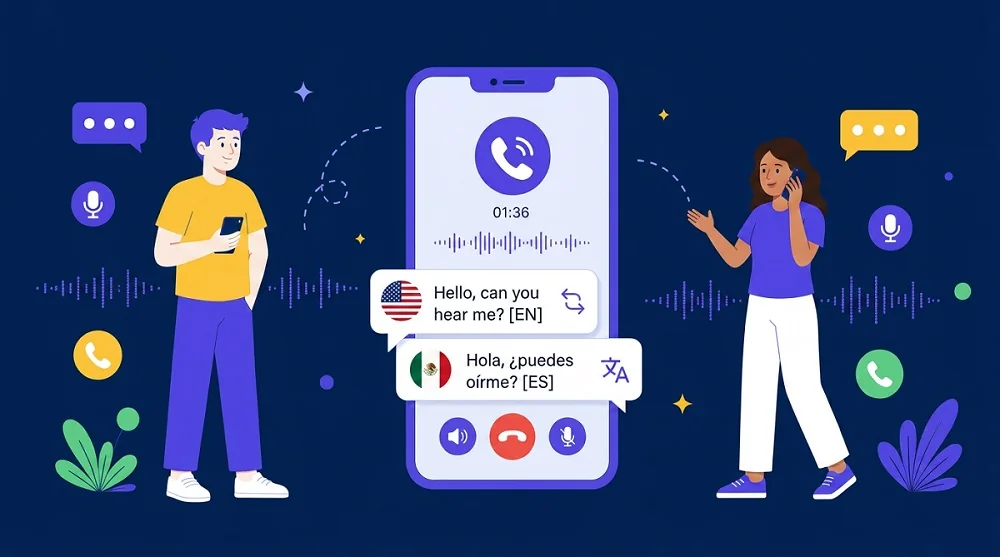
Nobody looks forward to calling their bank. The hold music, the phone menus, the identity questions — it’s tedious in your own language. In a language you’re still learning, a simple question about a charge can turn into a twenty-minute ordeal.
The good news: bank calls are some of the easiest conversations to hold across a language barrier. They follow a script — verification, your question, a confirmation number. And unlike a chat with a friend, a bank call has one thing working in your favor: the bank doesn’t need to install anything. It answers a normal phone call. Here’s how to get through yours without the stress.
Quick Answer: You can call your bank’s customer service in another language by placing the call through AI Phone’s Phone Call Translator. Have your ID details and account number ready, let the app handle the phone menu for you, and use Quick Reply templates for any numbers or amounts that must be exact. The bank answers a normal phone call — no app or setup on their end.
What Should You Have Ready Before You Call?
Every bank call starts the same way: identity verification. The agent will ask for some combination of your full name, date of birth, home address, the last four digits of your Social Security number, and your account or card number. Get all of it in front of you before you dial — fumbling for your wallet while the translation runs is how mistakes happen.
Write down why you’re calling in one sentence. “There’s a $47 charge I don’t recognize.” “My card was declined yesterday.” “I need to transfer money from my UK account to Hong Kong.” One clear sentence beats trying to explain from scratch in a second language.
Keep a pen nearby. Write down the agent’s name, the date, and any reference or confirmation number they give you. If something goes wrong later, “I spoke to Maria on October 20th, reference 8-4-3-9” gets you much further than “I called last week.”
How Do You Place the Call With Live Translation?
Open AI Phone, start a call with the Phone Call Translator, then dial the customer service number on the back of your card. The bank picks up like any other call — nobody there needs an app, a link, or any setup.
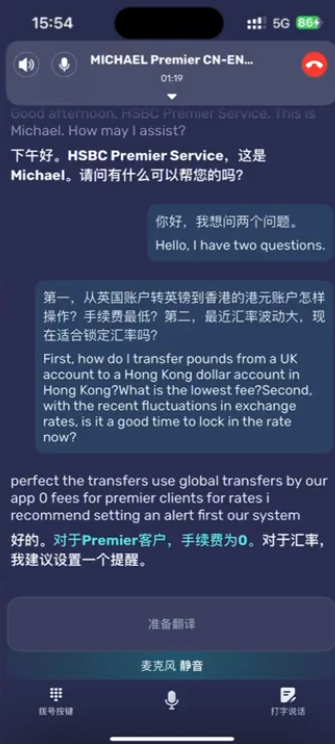
Here’s what that looks like on a real call — a customer reaching HSBC Premier service about a transfer:
Setting it up takes about a minute:
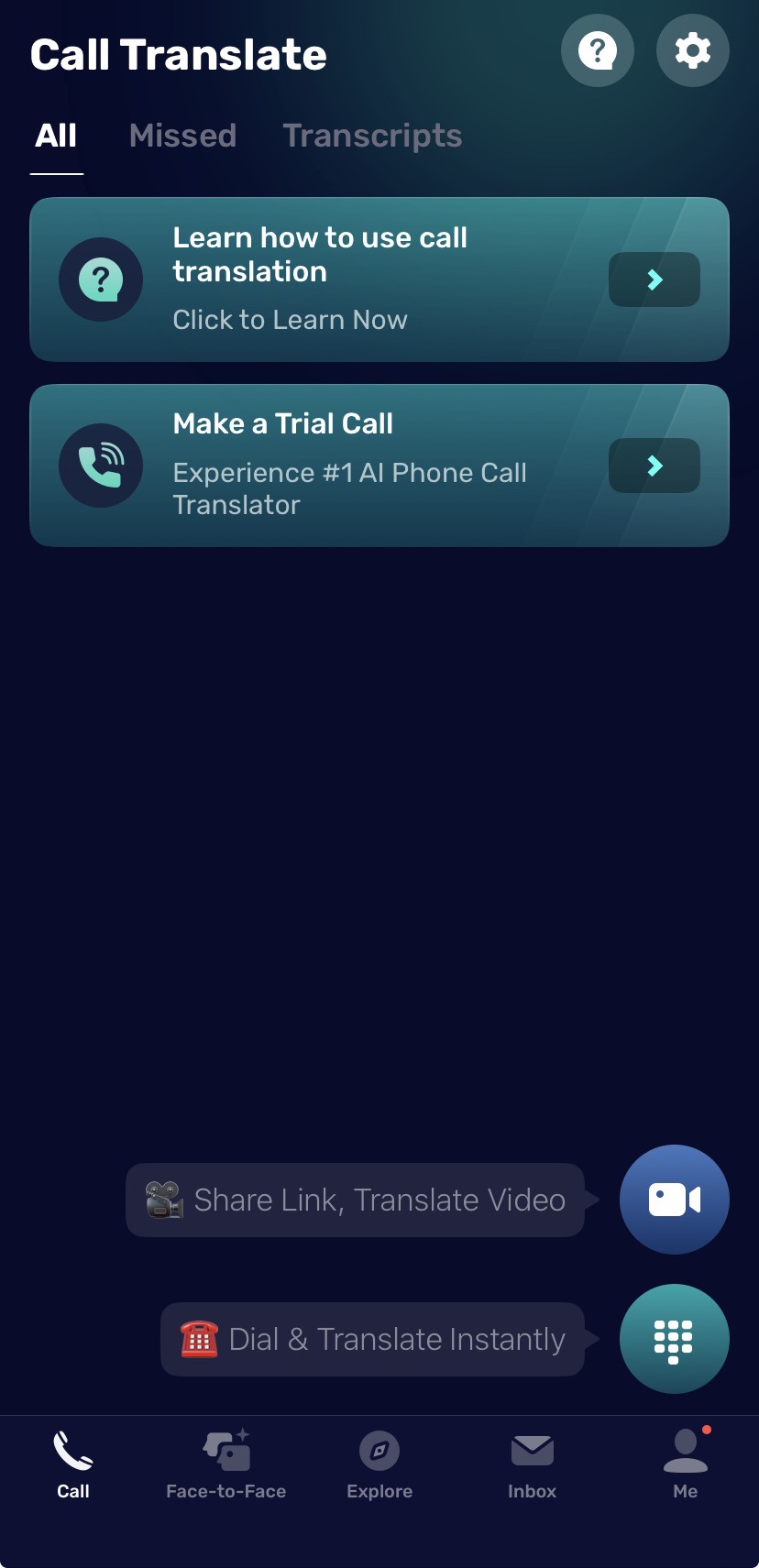
- Open AI Phone and tap Call.
- Tap Dial & Translate Instantly.
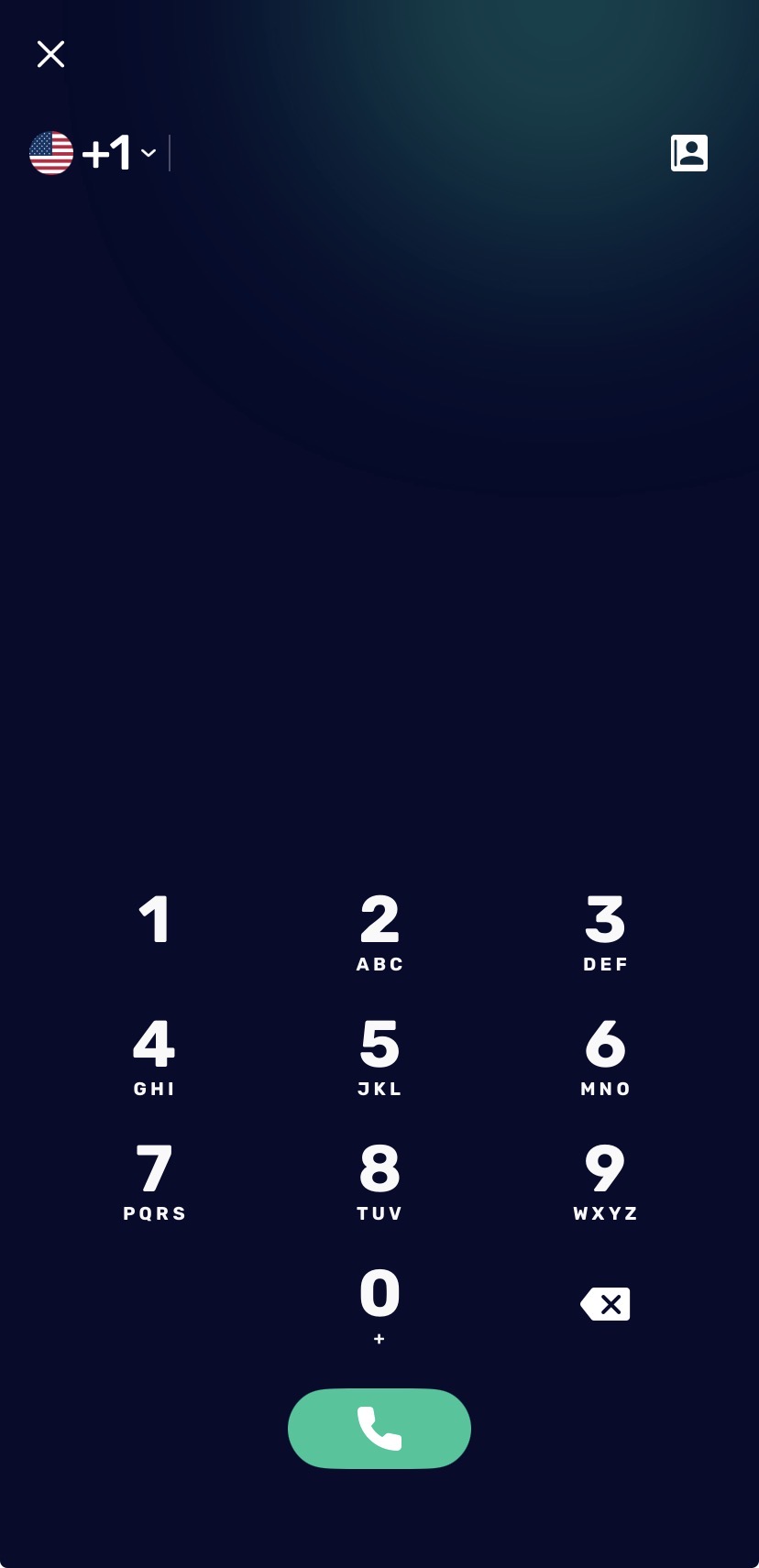
- Enter the bank’s phone number or choose it from your contacts.
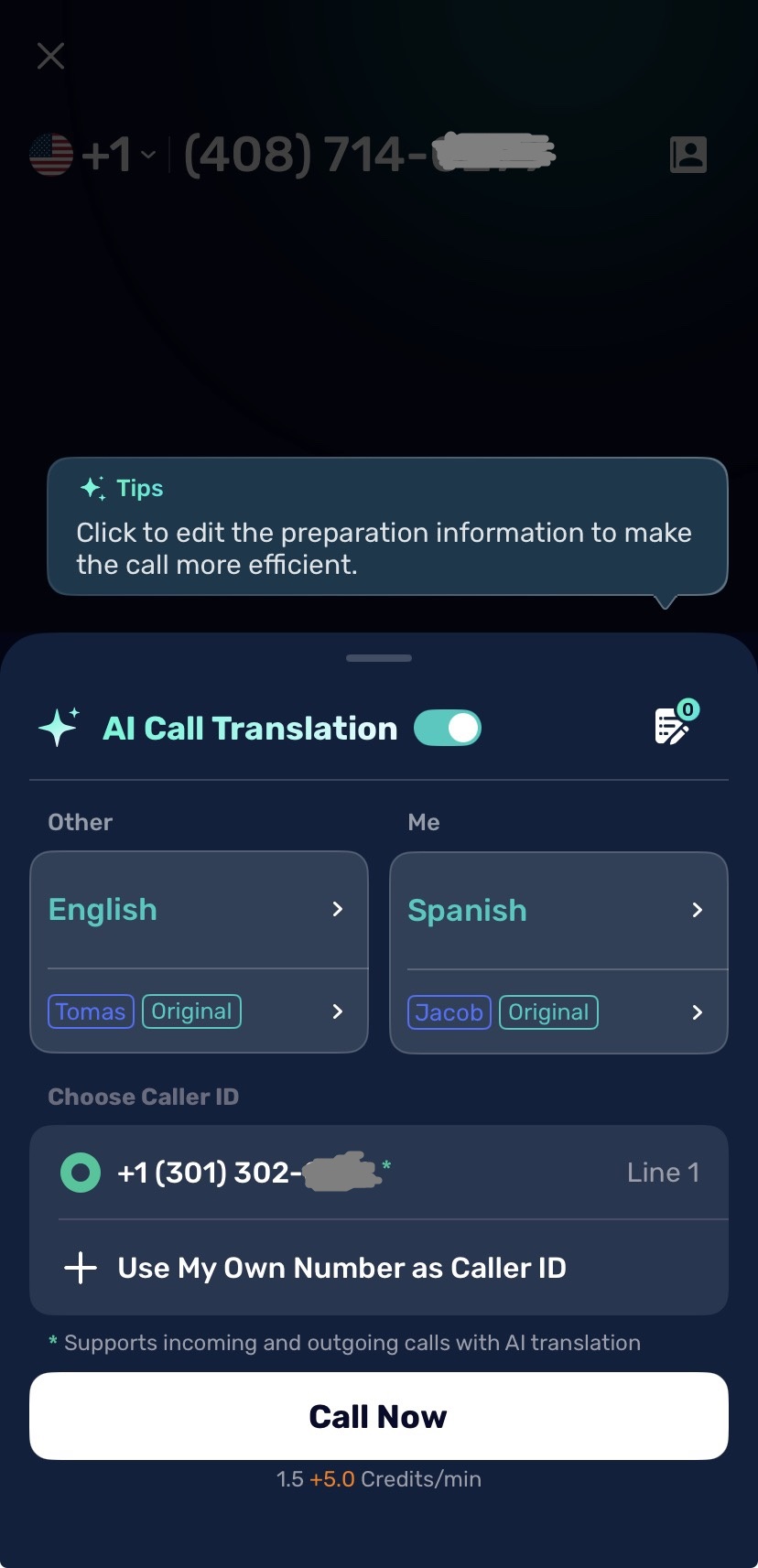
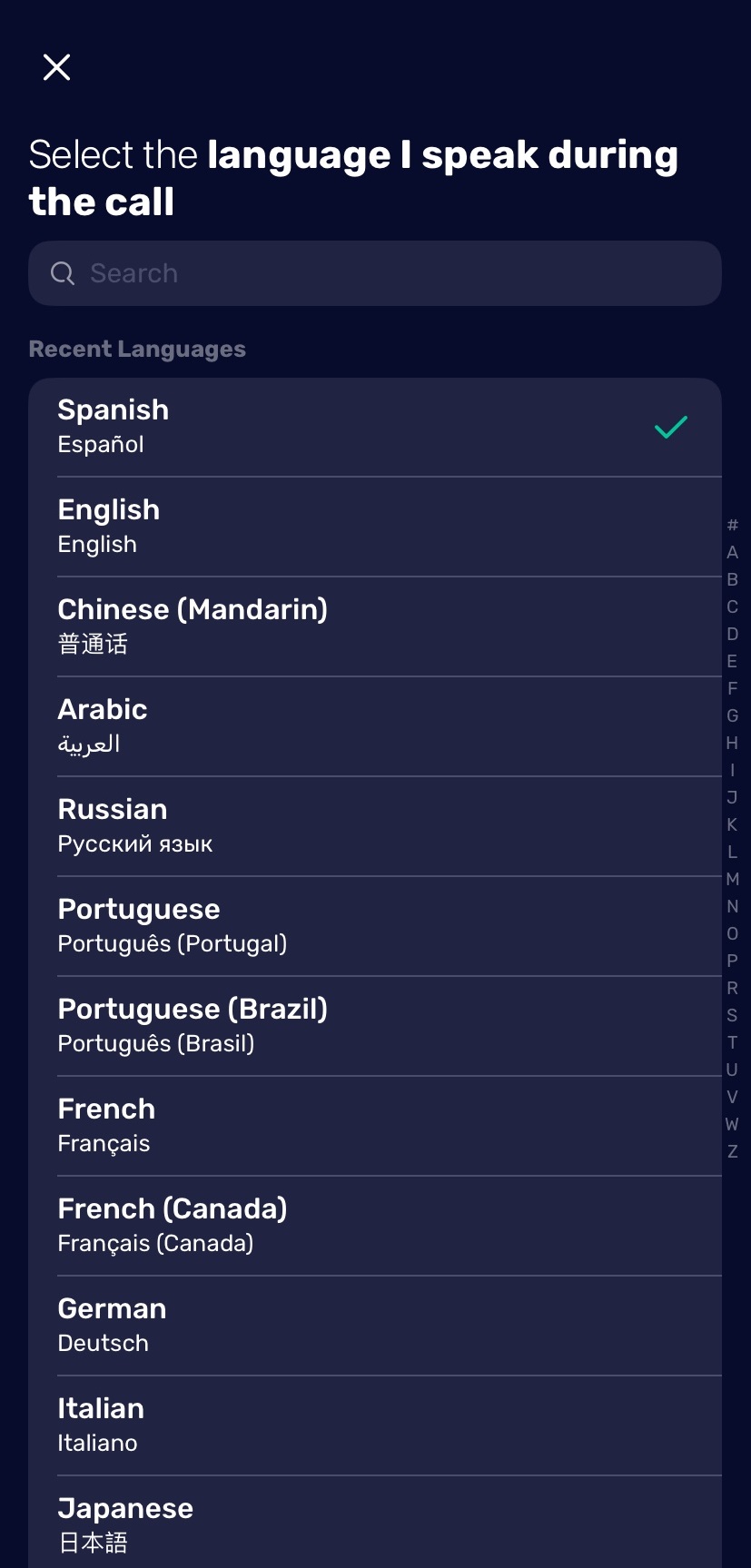
- Under Me, select the language you’ll speak.
- Under Other, select the language the agent speaks.
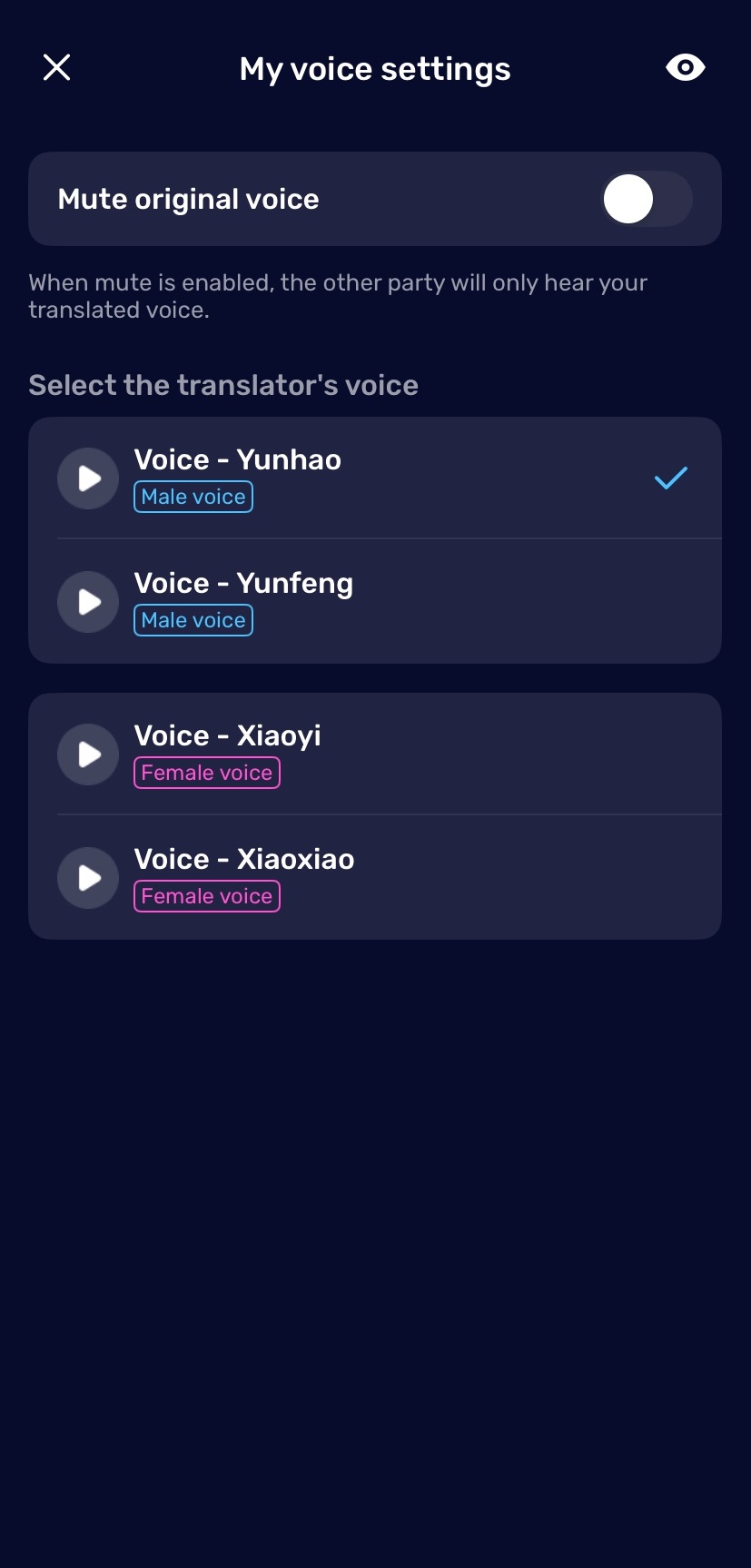
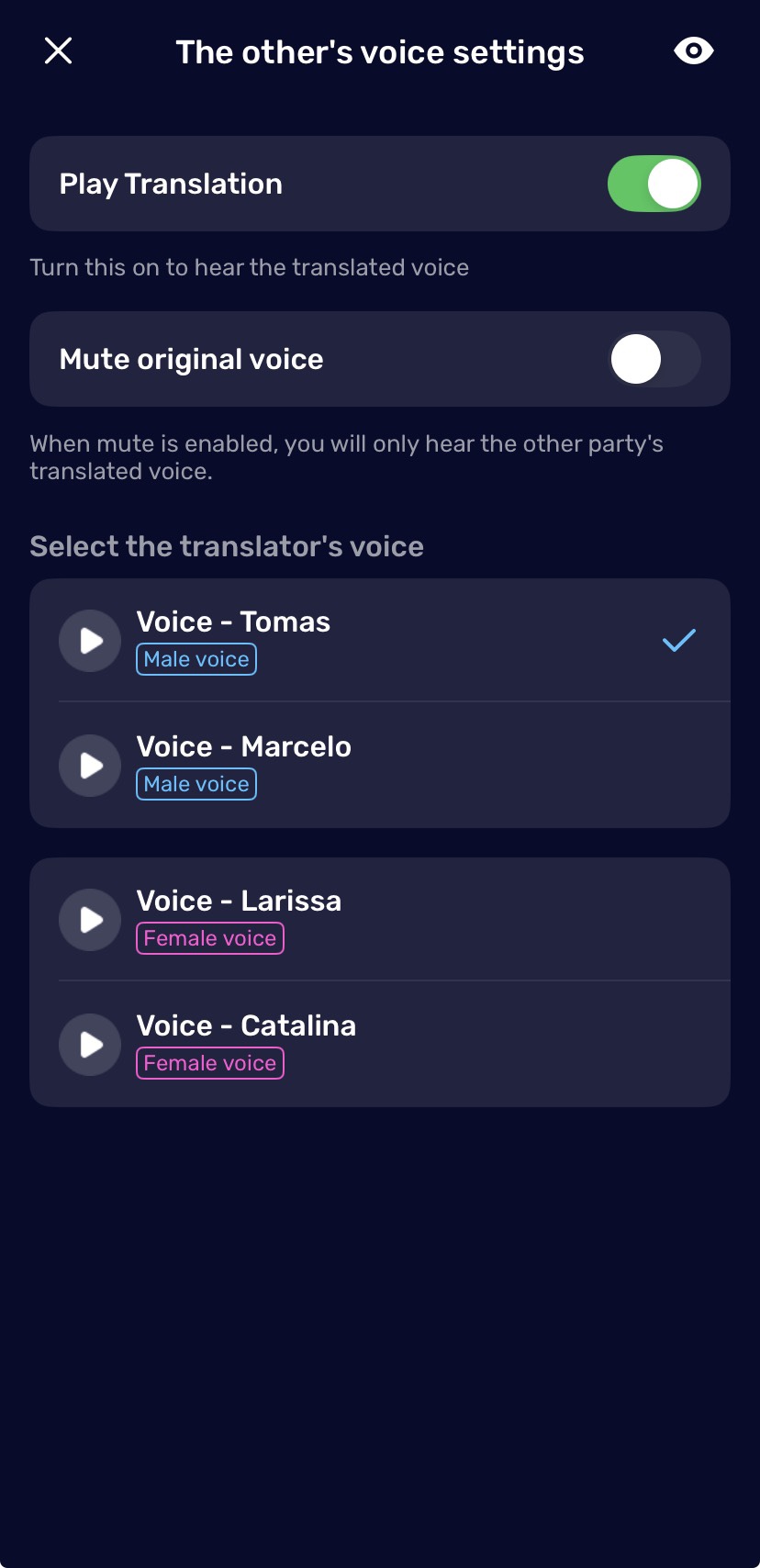
- Choose a translation voice for each side, then tap Call Now.
- Talk naturally — AI Phone translates both sides live, with bilingual subtitles on your screen.
Say this first: “I’m using a translation service, so please speak in short sentences.” Bank agents take thousands of calls; this one sentence tells them exactly how to work with you, and nearly all of them adjust right away.
Talk one thought at a time, then pause. “I see a charge for forty-seven dollars on October 12th. I don’t recognize it.” Stop. Let the translation land. Then continue. Short turns in both directions keep everything accurate.
If you’ve never made a translated call before, walk through the setup once with our step-by-step guide to making translated calls.
How Do You Get Past the Phone Menu?
Bank phone menus are where most people get stuck — and they’re actually the part AI Phone handles best.
When the system asks you to “press 1 for English, press 2 for…” the app automatically brings up the keypad, so you can punch in the option right away instead of fumbling between screens. For the common “say or enter your account number” prompts, your pre-saved Quick Reply templates do the work — more on those in the next section.
The practical sequence most people use:
- Press 0 or say “representative” if your language isn’t offered in the menu. Most systems route you to a human.
- Let the keypad handle the rest. Whatever the menu asks for, tap it directly — no translation needed for button presses.
- Take the callback when offered. Some banks offer a callback instead of holding. It works fine with a translated call, and you skip the hold music entirely.
And if the menu is defeating you completely, check the bank’s app first. Routine things — checking a charge, locking a lost card, updating an address — often don’t need a call at all.
How Do You Handle Account Numbers and Dollar Amounts?
This is the part of the call where accuracy matters most. Numbers are the easiest thing to mishear in any language, and a wrong digit in an account number or a transfer amount is a real problem.
That’s exactly what Quick Reply is for. Before you call, save your key details as reply templates in AI Phone — account number, card number, home address, phone number, date of birth. During the call, tap the Type to Speak box and your templates pop up underneath. When the agent asks for your account number, tap the template: AI Phone translates it and reads it to them, digit-perfect, without you saying or typing a thing.
For one-off details that aren’t worth a template — a reference number the agent just gave you, a specific amount — type them on the spot with Type to Speak. It translates what you typed and speaks it to the agent during the call, exact, every time.
Always read critical numbers back. When the agent gives you an amount or a confirmation number, repeat it slowly and let them confirm: “So that’s 4-8-3-9, and the amount is two hundred fifteen dollars and fifty cents — correct?” Ten seconds of double-checking beats a week of fixing a wrong transfer.
And be honest with yourself about the technology: AI translation is good, but it’s not perfect. For anything that moves money — transfers, payments, disputed charges — the combination of Quick Reply, Type to Speak, and the repeat-back habit is your safety net.
When Should You Skip the Phone Call?
A translated call isn’t always the right answer, and it’s worth saying so. Many large banks have their own interpreter line — Wells Fargo’s covers more than 200 languages, and Bank of America’s is free. Just ask: “Do you have an interpreter who speaks Mandarin?” If they do, use it; a native-speaking interpreter beats any technology.
For anything complex — opening an account, disputing a large charge, signing loan paperwork — visit a branch with bilingual staff. Paperwork deserves a human in the room with you.
The translated call shines for everything in between: checking a charge, replacing a card, updating your address, asking about a fee, arranging an international transfer. Quick questions, after hours, no branch nearby — that’s the sweet spot.
One safety note: your bank will never call you and ask for your full password, your PIN, or a verification code. If someone does, hang up and call the number on the back of your card yourself.
Final Thoughts
Bank calls are formulaic, and that’s good news. Verification, question, confirmation — the same shape every time. The phone menu used to be the hardest part for non-native speakers; now the app handles the keypad and the numbers for you, and you only need to talk through the actual question.
You don’t need perfect English to manage your money. You need to be understood, and to understand exactly what’s happening with your account. That’s what the call is for.
Banking shouldn’t require perfect English
Call your bank, your card company, or any customer service line — AI Phone translates the conversation live.